LightWave 3D 10 – Top Ten Wish List

LightWave 3D 9.5 was just released. An excellent update to the current LightWave cycle, which I am extremely pleased with. And with the promised hotfix/service release (9.5.1 maybe?), that should arrive shortly, fixing the minor things that didn’t make it to the Siggraph release (which I hope includes fixes for the FBX bone export and OBJ parts export/import) it will be an awesome production horse pumping out projects here.

But with every new release, the eager part of me can’t help thinking of what I want the next version of LightWave to be like. So here’s my top ten countdown of what love I hope LightWave 10 will receive.

  1. Micropolygons/Buckets. The recent updates to LightWave’s renderer have made it top notch for fast, high quality GI renderings. And with 64-bit computing and tons of gigs of RAM I can easily squeeze millions and millions of polygons without LightWave even thinking of breaking out in sweat. But as it’s pretty common using displacement maps and highly subdivided meshes today it’s quite an uneffective use of resources keeping it all in memory instead of rendering the scene in buckets. And even with a mesh subdivided to millions and millions of polygons I can’t seem to get the same level of details in LightWave coming through that I for instance can get in Modo when using micropolygon displacements. So this is something I really, really hope will be implemented for LightWave 10.
  2. Render Pass Manager. This is something that can be solved with 3rd party tools today, but they are all workarounds and implemented as good as the current architecture can allow. In a modern rendering application this is something that should be native in my world. Preferably a node based workflow where buffers and savers can be combined to my liking. I want to have a list of passes and buffers and set it up with different combinations of shaders/lights/objects and just press render and get all the images outputed at once and jump to my compositing package. Currently it’s pretty much a pain to work with render passes in LightWave, and it’s such an important part of a modern workflow so this is definitely something that I really think must make it into LightWave 10.
  3. Improved Rigging. Character animation in LightWave works pretty well today I think, I don’t really share the opinion that LW is no good for char animation. And with the new pole vector and IK features in LW9.5 things got a bit better again. But the rigging! That’s more or less a pain in the a.. at the moment! It just takes way to much time and it’s incredible incovenient jumping back and forth between modeler and layout during the process. A unified environment will probably solve some of the pain automatically. But what I really want is to be able to edit my weight maps while having my bones deform to immediately see the effect. It’s just to much guesswork and editing in the dark at the moment. And a setup mode would be excellent, like it works in pmG:messiah. I want to be able to jump back to my setup pose and edit any bone or make adjustments without the rig breaking or the animation going bonkers.
  4. New Dynamics Engine. The dynamics engine in LightWave hasn’t seen much progress for some time and starts to show it’s age. I especially hope the cloth dynamics will get some much needed improvements. A mode tailored for hair simulations would be excellent, but just get the ordinary cloth solver up to date – Closer to realtime calculations and with better precision I’d be very happy.
  5. Hair tools. With FiberFX making it’s first appearance in LightWave 9.5, I think it’s an excellent first iteration. I am very happy with this new addition to LightWave. For LightWave 10 I hope the progress continues, especially the styling tools, as I think the hair renderer is very good already (not that I don’t hope that it will be even better the next time). But the styling tools would be excellent if the FiberModeler could be ditched and instead having the fibers available in the ordinary modeler view, and having the styling tools as ordinary modeling tools so they can be used and combined with other tools. And with a background constrainer (See 6. Topology tools), the fiber strands could easily be prevented from penetrating the underlying geometry.
  6. Topology tools. As sculpting packages gets used more and more, some topology tools would be really useful to have to be able to retopologize directly in LightWave. A good constraining system where you can constrain to a background object and build new geometry on top of it would be oh so useful. All tools should respect the constraint and it would be so easy to quickly make lowres meshes of hires sculpts and such.
  7. More Nodes. The node editor for surfacing that came with LW9 is wonderful. I just love a node based workflow, as it’s such a powerful and intuitive way to work. XSI ICE is a great example of the power of nodes. I do hope the node system in LW9 will be extended in LW10 to work everywhere. Nodes for particles, dynamics, motions, renderbuffers and so on… More nodes to the people!
  8. Instancing. Instancing is long overdue in LightWave and can only be solved with 3rd party tools at the moment. HD instance is a good rendering instance plugin. But this is something that should work out of the box in a modern application. And when it gets implemented I really hope it won’t be just rendering instancing but also modeling instances. Modeling instancing is where I personally would need it the most.
  9. Unification. The separate application system (Modeler/Layout) has played out it’s role. Now it’s time to bring all modeler tools inside Layout and just call it LightWave instead. Modo is an excellent example of how one unified environment still can separate different tasks in an elegant way. Also many modeler tools can be unified into one tool (No need for 5 different bevel tools as an example).
  10. Updated UV tools. The UV tools definitely needs a more modern touch. Currently they are usable because of excellent 3rd party tools like PLG UV unwrap. In LightWave 10 I hope we get a native UV Unwrapper, just as good as PLG or preferably better. Other goodies would be that all modeler tools should work in the UV editor, UV overlap checking and a decent UV to image exporter. The current EPS exporter doesn’t work very well with subpatch UV’s and so on.

One can dream, right? :)   To me, if these things made it into LW10, LightWave would be an amazing state of the art 3D application again. The 9.x cycle has been ongoing since 2006 with 9.5 probably being the end of the line for 9.x, so I believe the first signs of LightWave 10 development will surface during late Q4 2008. I hope so anyway. So it will be exciting to see where we are heading then. I really hope as much as possible of the list above is under consideration for LW10 and will make it to the release. Oh, would that make me drool rivers and take a flight to NewTek HQ to crawl in joy before the dev team.

Still if just number 1 and 2 (Renderpass/Bucket render with Micropolygon displacement) makes it I will be thrilled with excitement.

LightWave 3D 9.5 Released

LightWave 3D 9.5 is here

Siggraph is over for this year, and as always there’s been plenty of announcements and releases within our industry this week. Vue 7 and ZBrush 3.5 was announced and I’m looking forward to further information about these releases, especially the new ZBrush release, which I suspect will be awesome, once again! The new Mudbox version looked interesting, but didn’t convince me enough to try it out instead of ZBrush. Also Luxology showed an interesting tech preview of the next Modo version, and the new BodyPaint version from Maxon looks interesting as well. And not to forget XSI 7, which is awesome, but comes with a hefty price tag, but I’ll keep my eyes on it in the future and might add it to my pipeline if I can justify the cost down the road. Lot’s of goodies in a short time.

But for me, the major event at Siggraph 2008 was the release of NewTek’s LightWave 3D version 9.5. A massive update to the core package of my pipeline!

LightWave 9.5 has been in beta since February this year, so I have had around six months of time to play with this baby until now. The 9.5 beta cycle has been the most interesting yet, the developers have been very responsive to input and suggestions for each beta release and the progress has been amazing through the months to the cool release it finally became.

This is without a doubt the best .x release of LightWave ever (and could just as easily been labeled a x.0 instead) with all the new major additions and fixes.
I won’t go through every new addition to 9.5 as the complete list is available in NewTek’s pressrelease. But my personal favorite additions that has kept me drooling through these months are:

  • FiberFX, the brand new integrated Hair and Fur system. Based on Jon’s FFIV plugin, but since they brought Jon on board, it has evolved to a completely new beast, integrated into LightWave. For a first release I think it’s amazing, and with Jon on board developing this continously I believe it will have a bright future.
  • Amazing GI improvements, with the once again updated radiosity engine, LightWave now calculates GI with an incredible rendering speed and image quality leaving most other render engines far behind. And one bonus word; Flicker free GI animation. LightWave is definitely again the state of the art rendering application, top of the line.
  • Light API, the new light class, with lot’s of new native and 3rd party light types.
  • Native FBX Import/Export/Merge. Finally, I can get rid of the AutoDesk FBX plugin for LightWave which was for 32 bit only. As a MotionBuilder user I rely heavily on FBX and are very happy to see this go native in LightWave.
  • And so much more, the list can go on and on and on…

And did I mention that 9.5 is the coolest release of LightWave 3D to this date? And it’s a FREE update once again. Very cool of NewTek, an amazing release and value. LightWave might not be back at the top of the line where it once where, but they are definitely heading in the right direction with this release, and if they keep this progress going, I’m very excited to see what LightWave 10 might bring to the table, but in the meantime, congratulations to NewTek and the entire development team for the excellent 9.5 release!

I am a happy camper!

A few weeks of vacation later…

Most of July as well as the first week of August have been colored with an absence from work and I’ve been living the pleasant vacation life.

People have been visiting me as well as me unlocking the chains from my workstation and got out traveling to a few different places to go to concerts, having cold drinks as the beach, enjoying hotels, attending art exhibitions and taking quite some photos (I got myself a new 24-70mm, f/2.8 lens for my DSLR) and ended it all with tons of great music at the Way Out West festival here in Gothenburg last week, held for it’s second year.

A few great, relaxing weeks to get some new energy and inspiration. Things got back to normal this week and I have had to catch up on some work, and have delivered four new projects already. I have started using a calendar now, hehe, so I have scheduled some catchup time for the website here as well.

The Cookie Monster attended a Barbecue at my place

The Cookie Monster attending a Barbecue at my place

A new female head – speed doodling session

I took a few hours tonight and had another speed doodling session. I worked from my imagination with this one, with a goal set to as fast as possible get a decent looking character. I really need to get a speedy workflow in modeling characters for some of my upcoming projects, so I’ll probably make a few more similar doodles around this theme.

Female ZBrush Doodle 2

Click to Enlarge - Quick LightWave Setup and Render

The image above was created from scratch from the first polygon to final render in about 3-4 hours. This was mainly a ZBrush project, but I did end up rendering it out in LightWave 3D at the end. If I had spend some time on bulding a skin node network in LightWave and worked a bit on the hair it would probably have ended up pretty decent looking, but I’m saving that for the next time.

Anyway, I started this project by making a few ZSpheres and sculpted and pushed around the mesh from there, going up in level of detail now and then, trying to capture the basics of the female facial form as much as possible. Check out the image below for a few screenshots from different times in my sculpting process.

Female Doodle 2 - Work in Progress

ZBrush Sculpting Workflow

At this stage I felt I had got most of the structure down as I wanted it. As sculpting from a few ZSpheres in ZBrush doesn’t create a decent topology, I included fixing the topology to my workflow this time.
To fix that, I roughly painted out directly on my character how I wanted the topology to flow, somewhat close to what I like, and then I used that model with my paintover as a template, building my new topology on top of that. When I had my new topology in place, I projected my sculpted details back into the new mesh. Here is three additional screenshots; The original topology – My paintover – The final topology.

Female Doodle 2 - Topology

Click to Enlarge - Retopology Process in ZBrush

Alright, the third one looks much better, so to end this session I made some basic texture painting as well. I didn’t bother with painting any Subsurface Scattering, Specular, Diffuse maps and so on this time, I just wanted to get some texture down and painted a simple color map. Here is the color map rendered in ZBrush with a basic skin shader applied.

Female Doodle 2 - Painted

Finished Texture Painting in ZBrush

And to close out this doodling session, just for fun, I exported the model out of ZBrush and brought her into LightWave. I made a quick and dirty wig with some hair strands, just a few minutes worth of work, and then rendered out the image at the top of this post.

Well, that’s it for this time. I shall return.

Working Music: Markus Krunegård – Markusevangeliet

Female Head – Speed Sculpting Doodle

A 3 hour speed sculpting.
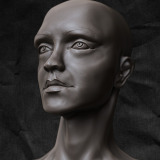
I haven’t used ZBrush for a while, so I doodled around in it for a few hours today, to get the groove back. The image below is the result of a couple of zspheres and then just playing around, sculpting out the basics for the female form. I wasn’t going for accuracy or realism this time, just trying to get the shapes down and having some fun with it.

ZBrush Speed Sculpted Female Head

Click to Enlarge - ZBrush Speed Doodling Session

I could probably go on for a few more hours, keeping on refining and improving on her looks, but that would take the speed out of speed doodling. When I ended my sculpting session I exported her out of ZBrush together with a displacement map, and made a quick and dirty render in LightWave 3D, which is the render above, trying to capture at least some mood.

Actually, I think it’s pretty healthy to do a doodle now and then, to give myself some time to explore some new tools and techniques in my applications which I might not dare trying out when I do real projects. I’ll probably try do this somewhat regular to work on my speed and nail down better techniques.

Sculpting Music: Reyn Ouwehand – The Blithe, The Blend and The Bizarre

The Unofficial LightWave 3D Plugin Section

I’ve recently put up an unofficial plugin section on artstorm. I don’t really code anymore, and I don’t have any intentions to return or dig deeper into the world of coding either these days, as I am just to much in love with my 3D work. But I do from time to time write a few scripts when I need a tool that’s currently not available and it’s within my reach to quickly develop it. So when I finish a script I’ll put it online there, so they are available if anyone else might find use for them besides me.

This section won’t be linked from the main menu of my site, but feel free to bookmark it or link to it from any other site, as the section will be there permanently.

I recently published the SymmXMirror tool that’s available there, and also the SaveIncBak modeler script the other day, which was born from a thread on the NewTek OB forum where Miguel Méndez Menéndez posted the idea for the tool. Also many thanks to Miguel for tracking down the differences between the Windows and Mac file system through LScript to get it working on the Mac platform as well.

I do have a few other modeler tools that are more or less working as they should which I’ll upload quite soon. I also have some scripts I’ve developed while working with my film projects for basic render pass management. As I’ve made them for me, the GUI is lacking big time, so I have to spend some time cleaning that up before I can release them in a state useful for others. So it might be while before I can spare the time for that.

Well, over and out for tonight.

Goblin – Revisit

The summer is here, and I’ll have at least a month of free time, getting some things of the ground. To get my juices flowing I decided to finish some old projects that’s been sitting lonely for a long time, and by that be able to soon send a bunch of files to my archive drive instead of having tons of unfinished stuff in my project folder.

I dug up my old Goblin project, and had a session in ZBrush with him tonight.

The old Goblin project with some ZBrush doodling

The old Goblin project with some ZBrush doodling

I kinda liked where he was going now, so I’m gonna continue detailing him for a few hours and add some accesories to him and then see how it all turns out. If I am happy I gonna shade, texture and render him, otherwise he’ll hit the graveyard.

Working Music: The Concretes – In Colour

Color Management in LightWave – Second Attempt

Just a quickie…

I’ve been developing my workflow for my film project for some time. I want to have a rock solid pipeline setup so when I go full blast I can aim all my focus at the creative parts. So far I’ve concentrated mostly on the asset exchange, getting meshes and animations in and out of the different applications I am working with, as painlessly as possible. I am pretty happy with where I am at this point.

I’ve also put in much thought into the rendering pipeline, which of course also is really important to get right. So far I’ve mainly be working with animatics and test renders, so I haven’t had to set the rendering pipe in stone yet.

One thing I have decided on is to render everything to a floating point image format. Which has led me back into the dreadful lairs of color management. Again.

I did some lame attempts with color management a few years back, got myself a Spyder 2 calibrator to work with accurate colors. But after the calibration I couldn’t get my head around it with different profiles. Colors started to mismatch between applications and other mysterious things. I ended up uninstalling it and selling the device after a month. I’m pretty sure it was good hardware, but handled by a crappy operator. ;)

Anyway, when doing my initial tests with a floating point rendering pipeline, I encountered the gamma differences between the screen and the rendered images, as FP formats work in a linear gamma, and the screen does not, which led me back into reading up a lot on the subject. The gamma difference is an easy fix, but the control freak in me was not happy that I did not understand completely what was going on, so I’ve studied color management a lot more this time around.

A happy coincidence was that Gerardo Estrada just wrote an interesting article on the subject in the HDRI 3D magazine issue #18 and #19, proposing different workflows with linear color management in LightWave 3D, and have also been very active on the NewTek forums lately talking about the subject.

And that Sebastian Goetsch has just released an excellent set of tools for LightWave 3D, enabling an easy workflow for color management and ICC profiles right within LightWave 3D. Wow!

Well, well, as I’ve spent quite some time understanding the subject this time, and done tons of tests the latest week, I think I’ve actually got the hang of Gamuts, Gammas, ICC Profiles and a color managed workflow through the entire pipeline this time. Will even get myself a Spyder again to get my screen accurate, as I believe I can handle it this time. ;) In the end, which also my tests have shown, having a linear color corrected workflow do enhance both realism and quality of the renders and removes a lot of the obstacles associated with image manipulation. So it’s well worth the time to get it right.

As soon as I’ve implemented a decent, good quality, easy to maintain system/movie player to showcase animations and film clips on my website and blog, I’ll start posting some rendered sequences, and with that also write some more detailed text about my complete pipeline and workflow for my film project.

I’ll definitely also return to this subject and write a decent text or article in the blog about my color managed pipeline when I have had my film project in the rendering phase for some time.

I’m not posting any renders this time, but to not make this post lack images completely, I’ll just snap a photo of my latest McFarlane action figure I got the other week, standing happy on my work desk. :)

Lotus Angel Warrior

Latest addition to my McFarlane toy collection

Ninja: Resurrection

Just a quickie, here is an old darling of mine which I recently resurrected… Fear his wrath!

Wrath of the Ninja

My Crash Test Ninja

This character was like 90% finished back in 2004 for a SpinQuad challenge / thing, which I never had the time to complete. I’ve been cleaning up my old folders and content directories, getting rid of old crap and revived a few things that had fallen into the dark shadows, hiding under the dust, but deserved to be brought back to life.

This Ninja guy is one the latter. Back in march I fixed his topology, made some new UV unwraps and updated his textures and created a new clean rig to animate him. This test render is also from march while working with the rigging.

I’ve always liked this character and have had some great fun animating him when I originally created this cunning Ninja, so I am pretty psyched about finally having the time to get him finely tuned and bring him to full life.

I’ve some diabolic plans of where he is heading, more to come soon…

Get ready for some tough, serious, Ninja action!

Life signs… status updates…

There has been some unhealthy long periods of silence between my posts lately. The usual reason, commissioned work has kept me a busy bee. CG artists need to make a living as well – bills, bills and bills – unfortunately.

Some of my paid gigs are interesting and challenging though – gives me opportunities to tune my skills and dive into creating pieces using all my arsenal of CG tools which I might not have gotten into if I only worked with my personal projects. But still, some of the things I have planned to do for myself I really long to do. I’m working on a solution to switch between gigs and personal projects more freely, which seems to actually work out and become reality.

Anyway, I’ll probably be able to get back into posting regularly again, at least a few times a week. Starting from today. So now I don’t have any choice to not post, do I?

Even though my postings have been sparse I’ve spent a lot of my free time working on my projects. One of my different short films and animation projects have progressed rapidly, and I registered a new domain name for it a few days back, so it’s getting ready to be revealed real soon. Just a few weeks away for the initial release.

I’ve also been working a lot with my CG character development. Updates to those will be posted shortly. Just a quickie to go with this post to not make it completely boring without any images. A CG chick I’ve been trying out some things with in the last days. Modeling and sculpting is finished, currently working with textures and some hair guide styling.

A quick screenshot from the OpenGL view in LightWave with a temporary texture I’ve painted and the beginning of my hair guide styling.

CG Chick in Progress

Hair styling in LightWave

Posting to be continued in the next days….

Page 4 of 1412345678910...Last »