Destrachan – First pass of painting

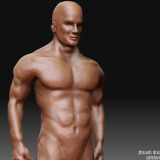
Just a quick update, I’ve done the first pass of painting on the little guy, so I just wanted to post a progress image.

Destrachan - Work In Progress - Textures

Destrachan - The first painting pass

It’s getting decent, but I need one more session to work on him before I am happy with the textures and shading. I have done all painting of the skin texture so far in ZBrush and haven’t had any need to bring it into Photoshop so far. I will probably do some minor touch up in the end there I guess, but ZBrush has been just great to paint textures in. The above render is made in LightWave 3D, I didn’t bother to turn on the displacement map for additional details for this test render.

Well, I’ll continue painting this cute little pet today, and then he should be finished to be let loose in some scenery.

Painting Music: Gogol Bordello – Gypsy Punks: Underdog World Strike

Destrachan – Sculpting is finished

As Siggraph is this week, most companies in the industry have new exciting things to present or release. And yesterday was definitely Christmas for me. I was like a kid in a candy store with all the new toys I got. ZBrush 3.1 (Outstanding update!), Vue 6.5 and LightWave 9.3. So I kept myself pretty busy checking out all new features and fixes.

Anyway, my Destrachan project is progressing. I have finished the sculpting of this little guy, so I thought it was about time I posted a few renders.

Destrachan - Work in Progress - Render1

Destrachan - Final Sculpt

Destrachan - Work in Progress - Render2

Destrachan - Final Sculpt - Side shot

Destrachan - Work in Progress - Render3

Destrachan - Final Sculpt - Anoter angle

I had a few adventures before I perfected my pipeline on how to bring my ZBrush sculpts into my other 3D applications in the best way possible. The above renders are all done in Modo. I will do the final renders in LightWave 3D, and I had thought I should do the above in LightWave as well. As LightWave doesn’t have micro polygon displacements I ran into trouble with all the details in this character. The new APS in LightWave helped a bit but I simply couldn’t get all the details I had sculpted to show up in LightWave without running out of memory. LightWave do have pretty poor memory management when dealing with high quality displacements at the moment. I really hope LightWave 9.5 will bring micro polygon displacements so these things will be fixed once and for all.

So I decided to give Softimage|XSI a spin instead. It’s a very nice 3D application in many ways, and I really enjoy how well everything is integrated, the history stack, the powerful node system and all those things. But when coming to displacements it turned out to be even worse than LightWave. Can you imagine? It takes forever even to initialize the renderer when increasing the displacement quality in XSI. Being used to the snappy workflow in LightWave I just couldn’t take it. No XSI for me at the moment.

So for the renders above I ended up using Modo. With Modo it just works and it simply rocks with displacements. Modo didn’t even stop to think for a second when I added my high resolution displacement map and cranked up the quality. Without any real time difference Modo just rendered this guy out with all the details like a breeze. Amazing. If Modo just would have had animation, volumetrics, hair and nodes I would definitely use it as the backbone of my pipeline.

Anyway, as Modo doesn’t have those things at the moment, I had to work out another solution for my current and future projects. And luckily ZBrush 3.1 was released yesterday, where among other things the missing Normal Map exporter was added again. And boy, did that fix everything for me. Combining a displacement and a normal map in LightWave from ZBrush just gives me excellent results, with a very low rendering time. So now my pipeline is complete again. And after all experimenting the last few days I have found a very efficient workflow now I hope. We’ll see shortly.

Alright, to end this post, here is some screenshots from ZBrush of some of the different stages from the sculpting phase.

Destrachan - Work in Progress - ZBrush

A few shots from different levels of sculpting in ZBrush

Well, I just started painting this guy tonight, and that shouldn’t take to long, so I will probably have him painted shortly in a new post. And I’ll probably end it this project before hitting the final render in a scene with adding a basic animation rig. I mean, this guy needs to breath some life as well. Until next time…

Music Tonight: Slayradio

The Pod Bay – Winner in the Vue Environment Competition

The Pod Bay

The Pod Bay (Click to enlarge)

A few days ago I posted an entry that my image, The Pod Bay, was selected as one of the twelve finalists in the Vue 3D Environment Competition 2007. Today, at Siggraph 2007 the final winners was announced. I was happy and surprised to see that my submission was selected as one of the three winners in the competition as second runner up.

The judges consisted of leading experts in the 3D entertainment industry coming from the companies – Industrial Light & Magic, LucasFilm Animation, Polygon Pictures, Electronic Arts, Psyop, Whiskytree, 3D World magazine and Softimage – motivated the choice of The Pod Bay as one of the winners with the following comments:

“A great work. Very interesting design and a great composition.”
“I like the fact that I’m wondering what they are. I keep feeling like they’re a part of a much bigger (science fiction) story that I’m not quite clued in to yet.”
“All parts are well-arranged to produce the impressive colors.”
“It vaguely reminds me of the Myst series of games!”

I needed to get up to speed with Vue and thought this competition was an excellent opportunity to spend some time with the software. This image was the result of some of my experimentation and it took me around one day to complete from start to finish. It was a very pleasant experience for me to get to know Vue better. It’s a very capable application and amazing in many ways, and I will for sure make it an integral part of my pipeline for upcoming work.

I didn’t want to make just a plain landscape render, so I came up with this idea of some Alien Pods populating my environment to bring some interest and excitement into the image. Postwork wasn’t allowed, which created a challenge for me to get as good render as possible straight out of Vue. I usually do a lot of post processing on my images after they have left the renderer like color correction, adjusting balance between elements, combining render passes and many other things. The Pods are modeled in LightWave 3D and then imported into Vue where I sculpted the landscape and the other assets. The texturing, vegetation as well as the lighting and final render is Vue all the way.

You can now also find this image in my 3D Portfolio.

Destrachan – The Sculpting is almost there

Let’s see, things are moving forward, so here is just a quick update. I’ve been working on finetuning my sculpting and get some finer details in place. Here is a render of where I am at the moment.

Destrachan - Work in Progress 4

I'm almost finished with the sculpting of the Destrachan

I made the render above in Modo by taking my low resolution base mesh and exporting a displacement map from ZBrush of all the details I had sculpted.

I do all my sculpting using my Wacom Intuos 3 tablet. By using a pressure sensitive pen I get the exact control and the feeling of working with real clay as close as possible for a digital environment.

I think I am almost satisfied now. I have a little cleaning up left to do and some additional finer details to add, but not very much. Then the sculpting phase is over and I can move on to the next steps in making this guy come alive. I will post a couple of images from different angles as soon as the sculpting is completed, with some additional step by step images.

On a related note. I do record some of my sculpting sessions to video. And I am about to get my server space extended ten folded this summer as well as the bandwidth. So as soon as my space is upgraded I’ll start posting some video sessions in the blog now and then to go with my posts. And other than recording my sculpting sessions I’ll also be able to more sporadically post animation tests and so on. This will be fun!

And to end this post, I had a little mouse adventure. My trusty Logitech MX 610 Mouse died on me last night. The LMB was worn out, but it had served me well for over two years. And fortunately I don’t use my mouse while sculpting in ZBrush, I only use my Wacom tablet with the pen for that, I can’t see how one could sculpt with a mouse? But I do all my LightWave work with the mouse, so I would need a replacement immediately. Luckily, one of the nicest persons I know came by me this morning and dropped of a brand spanking new Logitech MX Revolution mouse as a replacement. Wonderful mouse, perhaps the best one I’ve ever had. Amazing precision and the grip is excellent. And lot’s of programmable buttons. I’ve already configured it for LightWave, like this;

Forward = Select Loop, Back = Drop Selection, Search = Single View On/Off, Thumb Wheel Forward = Expand Selection, Thumb Wheel Back = Contract Selection, Thumb Wheel Click = Expand All, Mouse Wheel Tilt Left = Hide Selection, Mouse Wheel Tilt Right = Unhide. Wonderful setup and gives a great boost to the workflow. I am in love with it already!

Working Music: Beirut – Gulag Orkestar

Destrachan – Made a decent UV Map

When I was halfway through the sculpting phase I decided to improve my UV Layout for my darling. Originally I had settled on letting ZBrush create the UV map for me, using GUV tiles. But then I thought Nah, they don’t look very pretty. ZBrush GUV tiles does create a very nice distortion free UV Map, so it’s technically a very good UV Map, but not very easy on the human eye if you want to take the UV Canvas into Photoshop for further editing after you have left ZBrush.

So I went back to my base mesh in LightWave and had a proper UV unwrap session with it instead.

Destrachan - UV Map Layout

The unwrapped UV layout for the Destrachan

As can be seen, my unwrapped UV Map is so much easier to paint on than the abstract ZBrush generated map if I decide to paint or do other work on the maps down the road. To create my UV Maps in LightWave I use a very nice free plugin called PLG UV Tools which just rocks for UV creation.

I have always thought of creating UV Maps as the most boring and uncreative part of the 3D process, but the PLG Tools has completely changed that for me. It just gives me great UV Maps in no time so I can concentrate on the more creative parts.

In less than no time I had decided on where my seams and cuts shall be and generated a more or less distortion free UV map out of it. Then run the Relax UV command and follow up with the Pack UV Chart to get as effective placement in the UV space as possible. Here is the base mesh with an UV Checker pattern applied after I had finished my new UV Layout.

Destrachan - UV Checker Applied

Look Ma, almost no stretching!

Gotta love how easy it is to swap out an UV Map in ZBrush for a new one in the middle of a sculpting session.

Anyway, the checker render above is the last render of the base mesh. Now there is only the fun parts left, sculpted and painted versions of this guy!

I have an UV Layout that I am very pleased with. And the sculpting is almost finished. I’ll continue sculpting in the finer details tonight and shortly be back with some images of the final sculpture so I can move on to the painting phase.

Working Music: Camera Obscura – Let’s Get Out Of This Country

Me, a Vue 3D Environment Competition 2007 Finalist

e-on software, the maker’s of Vue, has together with Electronic Arts, Industrial Light & Magic and Lucasfilm Animation held a competition this summer called Vue 3D Environment Competition 2007.

I have had Vue in my toolbox since I got it bundled with my LightWave 9 upgrade about two years ago, but never really started using it, but well, when I got the announcement of this competition, I thought it was a nice and fun opportunity to learn this application properly.

As usual I waited until the last week of the competition before starting to dig into Vue and learn all the bells and whistles, and I came up with an image in about a day which I submitted. I didn’t really think it would be noticed by the jury, but that was okay, I had learned a new powerful application to use in my work.

Today they announced the 12 finalists from the 339 entries, and my submission was among the finalists. I got pretty surprised and pleased at the same time. I hadn’t expected this for my first Vue image that I had made in such a short time while learning the application.

My entry is called “The Pod Bay” and is available for viewing at the competition finalists showcase here, http://www.e-onsoftware.com/showcase/competition/2007/

Siggraph 2007 in San Diego is next week and the three winners out of the 12 finalists will be announced there. I wasn’t really interested in the competition before, but now I am a bit curious to see how it turns out next week. I have already set my mind to which 3 images in the competiton that will take the first, second and third place. 1. Snapshot, 2. Last Refuge and 3. White Ducks under the Bridge. But well, we’ll see if I am correct.

Oh well, back to sculpting my Destrachan creature now.

Destrachan – Sculpting the evil

Time for a new Destrachan update. Another completely unrelated project with a tight deadline came in between, but today I’ve continued working on my Destrachan creature. The project that came in between is finished, and I’ll be able to post about it in two weeks when I’m allowed to publish it.

Anyway, continuing from the last post, where I had modeled the base mesh in LightWave 3D, I’ve now brought this guy into ZBrush and started sculpting. I’ve worked my way from subdivision level 1 and are currently sculpting at level 4 and are working with around 90.000 polygons at the moment.

Destrachan - Work in Progress 2

The first ZBrush sculpting session of the Destrachan

At level 4 I’ve got enough polygons to start getting finer details sculpted into my creature like veins, tendons, skin folds, muscle definitions and the like. I intend to keep sculpting all the way up to level 7 to get this creature extremely detailed down to pores and skin texture, before I export it back as a low resolution mesh with a displacement map to use in LightWave. Oh well, I just wanted to post this update tonight, and will continue sculpting for a few hours now and will hopefully be able to post the final sculpt tomorrow, so I can start painting my little cute and cosy darling.

Sculpting Music: Lasse Lindh – (Self titled album)

Destrachan – Something evil has begun

I haven’t blogged anything since I got back from my vacation. Things have just been crazy since I got back, which made my personal projects suffer a bit. I’m gonna get back on track now though.

To get my juices flowing and get back in the groove I started a new project today (again… hehe). Well, this will not be a long project, just me playing around with a new character, or creature really, of mine.

As I’ve been spending quite some time getting up to speed with ZBrush 3 lately, I wanted to make a project from start to finish using ZBrush so I get some reward for all the hours I’ve put into that application so far. I do think all my hours will pay off and that I can get an image through all the steps required in quite a short time. Or so I hope.

I have to admit, back in the 1980’s I was an addicted Role Player. Playing games like Dungeons and Dragons (and the Swedish version Drakar & Demoner), as well as other RPG’s like Mutant, The Lord of the Rings, Star Wars, Kult and Chock. Well, even though I haven’t been into that for almost 20 years now, it’s an enormous well to collect inspiration from. So I dug up my old Advanced Dungeons and Dragons Monster Manual and started hunting for a nice creature to sculpt in 3D. I had a hard time to decide, so many ultra cool creatures in that universe, but finally I went with a destrachan.

A short extract from the destrachan description in the Monster Manual to give you a clue what this creature is all about:

The dungeon-dwelling destrachan looks like some bizarre, non-intelligent beast, but it’s an incredibly evil and crafty sadist. The creature shambles forward on thick, taloned legs. Vaguely reptilian in form, its large, stooped frame ends in a mostly featureless head dominated by large ear structures and a gaping, toothless mouth.

Alright, so I took a good look on the illustration in the Monster Manual and started up Photoshop and sketched out a quick modeling sheet with my Wacom, tried my best to draw an orthographic side view so I would have something to work from when starting to build the polygon mesh. And this concept sketch is what I came up with.

Destrachan - Model sheet

Destrachan - Modeling Sheet

Nothing fancy really, but it fills its purpose for this stage. Anyway, after I had finished this sketch, I started up LightWave 3D, loaded my sketch into the background and started modeling out a base mesh. And after about half an hour I had something I was happy with. Not very detailed, but I got the basic shapes down and the edgeloops located where I wanted them. Here is a wireframe and a render of my base mesh of my destrachan model.

Destrachan - Wires

The wireframe of the Destrachan basemesh

Destrachan - Render

A quick render of the basemesh

As can be seen, this base mesh is very low resolution, but it contains all the details and shapes I need to have a very good and fun mesh to start sculpting from. So time to bring this guy into ZBrush and bring out all the lovely details to make this creature come alive. This base mesh is just around 1400 polygons, which is a good starting point for ZBrush work.

Working Music: Red Hot Chili Peppers – Stadium Arcadium

Back in the real world again

Just got back yesterday from my short vacation and things will start to return to normal again. Despite the awful weather on one of my days away, where things really got wet and muddy, a pair of rubber boots, quite some beers and lot’s of great concerts, it was no problem really. Just happy I’ve been around enough times to know what to look for in a good camping spot far away from places like these:

Roskilde - River of Pee

Ain't it cosy?

Anyway, I got some new energy, found some new inspiration and got a few new ideas going for coming projects. And of course, listened to tons of great music. Lot’s of great acts in a few days, so we had a hectic schedule to find the time to see all those band we wanted to see, a few had to be missed, but still, I got to see this lovely bunch of bands these few days.

  • Wednesday (Warm-Up): Detektivbyrån
  • Thursday: Arcade Fire, LCD Soundsystem, Speaker Bite Me, Björk (some), Jeans Team
  • Friday: Camera Obscura, The Sounds, Trost, Roky Erickson & The Explosives (some), Beastie Boys, Masher Shalal Hash Baz, Queens of the Stone Age, CSS, Booka Shade, Peter Bjorn and John, Nephew, The Brian Jonestown Massacre
  • Saturday: Taxi Taxi!, Holly Golightly, The Whitest Boy Alive, The Who (some), 120 Days, Red Hot Chili Peppers
  • Sunday: The Lionheart Brothers, Beirut, The Ark, Tunng, Arctic Monkeys, Timbuktu & Damn!, Basement Jaxx

Anyway, a few great days, great music, great drinking and so on! I wouldn’t have missed it for the world.

And I got the opportunity to experiment and explore my latest camera a little bit better and I took about 3 gigabyte of photos, so time to start organizing and developing them in Adobe LightRoom. It’s pretty seldom I end up on photos myself, but I thought for once I’d post a photo of me from the Lounge Area when Taxi Taxi! was playing their beautiful music there. Just a tiiiny hint of a worn-out look, it’s from the fifth day living in a tent surrounded by rain and mud.

Johan at Roskilde Festival 2007

Yours truly at the Roskilde Festival

Oh well, time for me to get back in my real world again of 3D, animations, editing and everything else I do the rest of the year. But strengthened with new views, inspiration, ideas and energy since the last week.

I’ll drop a new on-topic post tomorrow!

Vacation Time! Woohoo!

Alright, there will be no updates in the blog for a week. I am having a short vacation.

Roskilde Festival

Woohoo, going to the Roskilde Festival

Great music, great friends and several cases of beer is to be expected during the next couple of days. Despite that the weather seems to be awful, it will be outweighed by those factors.

Over and out, see you next week!

Page 6 of 14« First...234567891011...Last »