A fantasy creature ZBrush doodle

I’ve continued my exploration within ZBrush 3, and had a one hour doodling session today (I haven’t forgot about my other projects, updates will come shortly on those as well). But I am really falling in love with the intuitive way of working in ZBrush so I will continue investing time to really get confident with this package, so I can use it in many of my upcoming projects.

Fantasy Creature doodling in ZBrush

A fantasy creature doodle

The ZBrush doodle I posted yesterday was my first attempt to create something in zbrush 3, and was done with blocking out the shape with a sphere brush, convert it to a polymesh and then pull, push and drag around the clay from there. It got quite messy and lot’s of stretched and overlapping polygons. It’s almost impossible to control the topology working in that way.

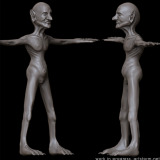
So today I improved my workflow in ZBrush and used zspheres instead and got into the habit of using them to create a much better base mesh to work from. Nice and controlled topology, much quicker to work with and which therefore also resulted in a much nicer result. From the zsphere created base mesh I made a few divisions to get the details I needed to sculpt out all the finer details.

Fantasy Creature doodling in ZBrush - Process

From ZSpheres to Final Mesh

And from starting with an empty canvas to the creature I ended up took about an hour. Amazing, this would have take so much longer to model and sculpt in a traditional 3D package. Can’t wait to continue getting deeper into zbrush and start exchanging data between LightWave 3D and ZBrush.

Todays doodling music: Calexico – Feast of Wire

Some Prehistoric Doodling

As ZBrush 3 was recently released, I’ve finally started taking the time needed to fully learn this lovely piece of software. Lot’s of more things for me to explore in this package, but I am getting there. Here is a doodle I made this morning just after I woke up while drinking my morning coffee. This weekend have been dedicated to ZBrush.

Prehistoric Creature Doodle

Learning ZBrush - My first lame attempt to do something

This doodling took about 30 minutes from an empty canvas for me to sculpt. I made it entirely inside of ZBrush beginning with the sphere brush and working from there. Just having fun with the sculpting tools. I don’t know what it is really, I was just playing around. It does take some time getting used to this way of working, being used to dragging and pulling vertices for years, and now moving over to this form of almost clay sculpting.

But I love it, and I can’t wait to continue digging into ZBrush and making it a major part of my pipeline for my pieces.

Doodling Music: Slayradio

Cleaning out my 3D closet

Time for another blog entry from me. I was taken out of business for a while after going through dental surgery. Nothing I can recommend. Huhuhu!

Anyway, I will continue posting on the projects I’ve been working on lately, and probably have one or two of them finished during the next week. But today I was browsing through my old files. I have quite a lot of unfinished projects. Which I guess most artists have. I hope!

Characters in Progress

Collection of old unfinished characters

Here is a few of them, which are at different states in the progress of getting finished, but these are the ones I had that I actually would like to finish. Lot’s of stuff went into the trashcan today. But these I saved. They are from a few months old to some that are almost 3 years old since I worked on them the last time. But never to late to finish something. So expect to see a few of these getting some new love and attention from me.

That’s it for now. More work coming up shortly!

Cleaning out music: Firefox AK – Madame, Madame!

ZBrush 3 is here!

ZBrush 3 Logo

ZBrush 3 - Released Today!

The development phase has been going on for years and what originally was supposed to be ZBrush 2.5 now finally hit the streets as a more significant upgrade, and got the 3.0 extension instead. Pixologic has worked hard on this update and it has been well worth the wait! Woohoo!

I just got my upgrade link about an hour ago, so I have just started to check it out, but my first impression is Wow! I’ve had a ZBrush license for quite some time, but I never got around to learn it fully, but now I’ll definitely invest the time needed to learn and utilize this package in my coming projects. This will marriage nicely with my Wacom and I really want this to be an essential part of my pipeline from now on. ZBrush doodlings will come in the doodle category shortly! For Sure!

You don’t get closer to working with real clay, in a digital environment, than this.
This sculpt and painting package is truly awesome!

ZBrush 3 first impression music: Belle & Sebastian – The Boy with the Arab Strap

Some major behind the scenes web updates

The site has been in in a movement phase for a few weeks. The layout has looked weird in many places, text blocks has looked strange and messed up, some links hasn’t worked. But now the update is 99% finished, just some minor cleaning up on some stuffed away pages and update some old buttons. None of those are really important, and I am very busy this week, so I’ll consider this update done for now! Complete! And just tune those last small things some day when I have some spare time.

This whole update started with that I got fed up with Blogger for my blogging needs and decided to make the switch to Wordpress. Blogger has worked okay for me in the past but lately I’ve got the feeling as an FTP blogger I got left out of all the new love. So with the move to Wordpress I am indeed very happy now when it’s finished, as I have much more control over the blog part of the artstorm site than I ever had before. The unpleasant part was that I was running on a Windows server earlier and had to make the switch to an Apache server to be able to run Wordpress. And it also took me some time to customize my Wordpress template to the artstorm look.

So I had to rewrite all my scripts for the rest of the site, which I had originally written in ASP and used an Access database to feed the content with. As I have had my focus on lot’s of 3D work lately, the web site update had to be done in the background when time permitted, and that’s why the site has been a bit messed up for a while.

But now everything is rewritten in PHP and I am using a MySQL database instead for the content. And the Wordpress blog runs smoothly next to my other content. I decided to update a few other things with the website when I anyway was messing around with it. So I improved the overall design, to make the site easier to read and hopefully give my visitors a better view of what I publish here, as well as adding some soon to be used functionality for quickly adding flash content to the site, streaming flash video content that is. Let’s see what I might have in store in that area.

So all parts of the site has got some love and attention and been updated now. For the first time I decided to use a non web safe font for my headings. Oh, the humanity. But it just looked so good, and it’s just a small percent, mainly Mac users, that will be affected of not having this font. Anyway, it selects some pretty good web-safe font if it doesn’t exist so no biggie really.

I also updated my URL naming policy to make these transitions between server technology go unnoticed in the future. Alas forced me this time into a massive battle with my redirects to keep my Google PR for as many pages as possible despite the new naming convention. But with a little messing around with my .htaccess files the ranking seems to have passed through to most the new pages in just a few weeks, and I guess the rest are not that far behind.

Alright, that’s it for now. I hope the site will continue to run smooth and I can focus on the much needed update of content in my portfolio and add my showreel and other things to the site.

Until next time!

And we have shading

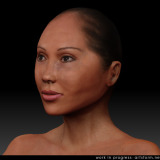
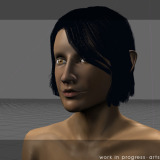
Here’s a quick update of my progress with this female character since yesterday. I finalized the facial features tonight, and started working on the shading and textures. Here’s my current state of her.

Katana - Work in Progress 4 - Render

Experimenting with a Skin Shader

I’ve finished the eyes and textured them. I’ve also started paint the textures for the skin. There is still some more work left to do around the eyes and mouth, as I want some special things to go on there, but the base layer is in place. I’ve used the new skin node in LightWave 9.2 for the shading which I feed my painted textures into. I’m really enjoying all the new toys in LightWave 9.2.

The next update will probably not be that far from my goal with this image. I’ll have the hair finished, the texure maps, clothing and the rig is also slowly getting in place for her posing. Stay tuned for a new update in a day or two.

Tonights Working Music: Arcade Fire – Neon Bible

Cooking fibers resulted in a world of hair

Alright, this piece has continued to progress. I’ve mostly concentrated on the head since the last update. I have tweaked the mouth and eyes a bit more and also finished the ears and attached them to the skull. I still have some finer adjustments left to do on the facial area before I am completely happy with her and can move on into the texturing phase.

My main focus on this update has been hair styling. As I am using LightWave, there is a couple of different approaches I can take when making hair. This time I went the Fiber Factory route. I got the Fiber Factory plugin for LightWave a few months back, but I haven’t had the time to get into it until now. I spent about a day playing around with the Fiber modeler until I felt completely comfortable with it and had found a good workflow which gave me the control I was looking for. A day well spent. So this is the result of my first Fiber Factory based hair style. Below is a render where I am in the progress at the moment. I still have some tweaks left to do before I am happy with the hair, but I am starting to get the overall style somewhere in the ballpark of where I am going.

Katana - Work in Progress 3 - Render

Trying out Fiber Factory IV for hair render

And here is an OpenGL shot of the hairguides I’ve sculpted with mainly the Fiber modeler with some additional tweaks in LightWave modeler.

Katana - Work in Progress 3 - OpenGL

OpenGL shot of the Hair Guides

I must say after having worked with Fiber Factory now, I’ve begun to find it a very useful and powerful hair plugin. I’ll definitely use it a great deal in my coming projects. I did have to switch between Fiber Modeler and LightWave modeler now and then to be able to get it the way I wanted, though, so there is still room for improvements in the hair styling tools. I’ll supply Jon at Binary Arts with my findings and wishes for improved styling tools when this project is finished, and hopefully that might be added to a future version, for an even more elegant hair solution. Hair in CG is something that is quite important to me and fortunately the future for hair in LightWave looks very promising. I am a beta tester of TrueHair, which still have some roads left to travel before becoming production ready, but it starts to show a great deal of potential already. Also, Worley might have a long overdue Sasquatch 3 lurking around the corner in the near future, that might bring even more power to the world of CG hair in LightWave.

Well, back to work. Coming up next is the final tweaks to the facial area, so I can start painting the textures and include that in my next post.

Working Music: Aracade Fire – Neon Bible

Looping in the face on Katana

I had some other business to take care of, so I had a break for a few days from this piece. Tonight I got back to her again though, and I have made some more progress to her since the last post. I’ve spend this night working on the facial structure, and have been focusing a great deal on the edgeloops, and I finally think I am starting to get happy with the layout of the wires. As I’ve mentioned in the last post, I primarily make this character to fine tune my edgeloop modeling skills.

I still have some refinements left to accomplish on the head. The ears lack some details and need to be properly attached to the mesh. There is also some loops around the mouth area that I have to work a bit more with before I’m completely satisfied. Other than that I just have to massage around her points a bit to get the features in the face to have the appearance I want them to have.

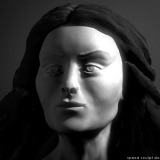
Here is some shots of her face up to this point. A rendered version and also a version with wires. I’ll continue tweak and refine her head and post a finished version of it later on today.

Katana - Work in Progress 2 Render

Katana - Second Work in Progress

Katana - Work in Progress 2 Wire

Wires of the second WIP

When I’ve finalized the head and attached it to the body, this piece will quickly close in to a finished state. The piece will probably be named Katana and not her as a character. Stages left to complete after the mesh is in place: Add hair and clothes, add a basic rig to pose her, paint textures and model accessories and then it should be prime time for a final render.

Working Music: Hello Saferide – Introducing

Katana, new female character started

I’ve begun working on a new character today. I have a pretty good idea where I’ll take her and how the final image shall look. This will end up as a single still only. I’ve focused a great deal on edgeloop modeling on this one, to finetune my skills in that area.

Katana - Work in Progress 1

Roughed out the basic shapes of her

The topology of the body is laid out with carefully placed edgeloops. Also I’ve blocked out the basic shape of the head. Now I’ll move on to adding details and massaging all bodyparts into the shapes and proportions I want her to have.

By the way, I’ve named her Katana, consider it a hint where this girl is going.

Working Music: Thåström, Hellberg, Ossler – Sällskapet

A few 2007 updates

Already into February and I haven’t yet posted a blog entry in 2007. The two first months this year have been unbelievable hectic. I had to rearrange a lot of things and start planning how 2007 should work out for me. Anyway, the first blog post of the year is finally here.

artstorm manual - cover

Cover of the Artstorm 2007 manual

The image above is the cover of my 2007 manual. For the curious, other than the cover it’s a 12 page manual containing everything I intend to accomplish this year together with how I should work and dedicate my time to actually realize those plans. It also contains some other goodies related to artwork, like my different pipelines and how I most efficient shall utilize them. Perhaps not much interest to others than myself, but if there’s interest I might share it down the road.

Other than writing a manual, which of course isn’t the only thing I’ve made so far this year I’ve been working on a few commercial projects and have set off a bigger project together with some other talented artists. And at a parallel path I’ve come a long way with my first one-man CG short. I’ve wanted to make a few CG shorts for a long time, with me doing everything from screenwriting and directing to the modeling, texturing and animation. It’s been difficult for me to find time for that, but now it seems like my first movie soon will leave my domain. More about this within the next weeks. The first movie is anyway completely developed in LightWave 3D.

Even though I haven’t blogged about it, I’ve expanded the gallery at the site with two new images this year as well. I have had a license for Luxology’s Modo for quite some time in my toolbox, but haven’t got around learning it deep enough to use it seriously until now. And I really love that software. It do bring back the fun in CG art. It feels good not to spend time fighting the software as it often happens in this business.

Dry Martini

Dry Martini

This guy was started and finished tonight. I have been having a cosy evening drinking a few Dry Martinis myself so I thought why not make one in 3D as well, and I wanted to work a bit more with shaders in Modo, so this was a good opportunity, and as I had the reference to work from standing on the desk next to my workstation it was just a given.

Ball Chair

Ball Chair

And this one I made last month. It was my first Modo project and I’m into 60’s retro at the moment, so this was a must do. It also fitted well to submit to CG Sphere, obviously.

Tonights Working Music: The Magic Numbers – Those The Brokes